


Every parent question lands in your inbox? Give families their answers 24/7.
In the Pillar OS parent portal, families book, move or cancel within your rules, pay their invoices and message their tutor themselves.
Some of our centres
 Centre de Francisation et de Tutorat au Québec
 Coeur de Tuteur
 Lingua Franca Institute
 Mentors Éducation
 OnCourse Education
 Top Tutorat
 Tuteur Match
 Tutorat au Top
Every parent question ends up in your inbox.
Parents aren’t being difficult. Their portal shows too much or too little, they can’t write to the tutor, and their child’s lessons aren’t in their own calendar. So they write to you, and you become the switchboard between every family and every tutor.
28 / 172
28 of the 172 public complaints we read about tutoring software are about this.
Three of those complaints, in our words. Each link goes to the source.
With no messaging between families and tutors, every message has to go through the office. 104 owners voted for it.
Parents want only their own child’s lessons in their phone calendar, not the tutor’s whole week.
Online booking is hard to set up, families find it confusing, and it often creates more work than it saves.
Here’s how Pillar OS handles it
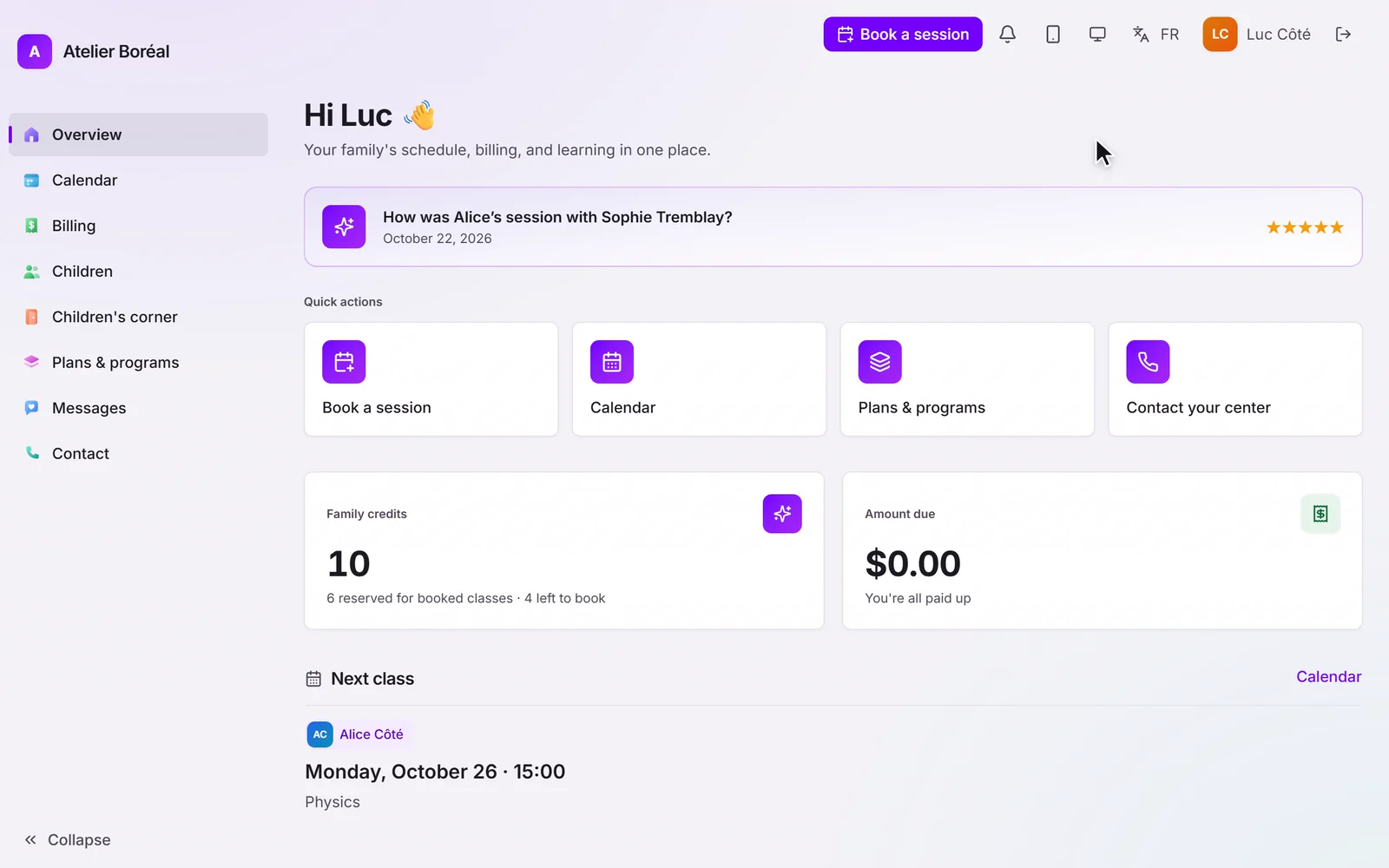
Families get their own portal: they book by subject, tutor and calendar inside your rules, move or cancel where you allow it, message their tutor, pay their invoices and download their statements. Each child’s lessons can go straight into the parent’s own phone calendar, and families only ever see their own.
Where it is in Pillar OS
- Book a session
- Messages
- Statements
Good to know
Can parents message the tutor without going through me?
Yes, if you allow it, inside Pillar. You decide whether students can write too, and when.
How much does Pillar OS cost?
One fee set by your active students, in Canadian dollars: $35 a month for up to 50, then by band up to $599 at 1,000. No fee per tutor, per lesson or per family login, and no share of your revenue. Texting, AI use, extra storage, a website, extra locations and the GoHighLevel connection are billed separately, only if you use them.
We use other software or spreadsheets today. How do we move?
On a setup call, we bring your students, families and tutors over from your export or your spreadsheets and book your first sessions with you. Past lessons and invoices stay in your old system’s export, so keep it.
Does it work in French?
Yes. The whole product runs in French or English, for your team and for each family in its own language. GST and QST are calculated on the invoice.
Keep reading on this

What a tutoring parent portal should answer for you
The questions parents send a tutoring centre every week, which ones a parent portal can answer on its own, and the conversations that should still come to you.

Why families drift away from tutoring, and what to say
Almost nobody quits tutoring. They pause, and the pause lasts. When the drift starts, what a departure costs, and the four-week check-in that brings them back.
Get your centre running with us, in one call.
About 45 minutes: we load your students and book your first sessions together, in English or French.
