

All-in-one tutoring software: 1 login instead of 5 tools.
You can run a tutoring business on a booking app, a payments tool, spreadsheets, and a group chat. Pillar OS replaces the whole patchwork and closes the gaps between them.
Measure it What is your current setup costing you? Score your month on the free scorecard. ›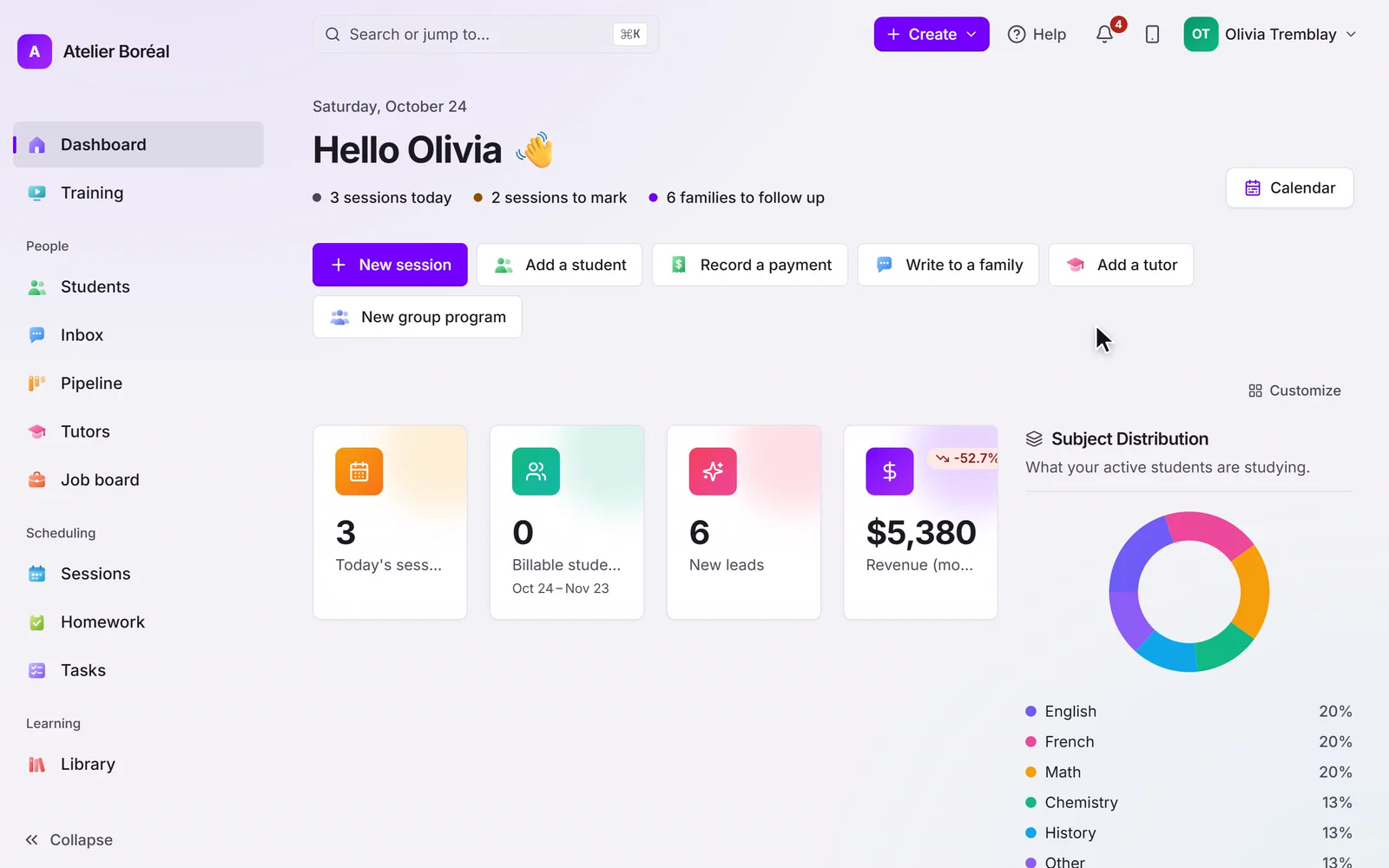
Some of our centres
 Centre de Francisation et de Tutorat au Québec
 Coeur de Tuteur
 Lingua Franca Institute
 Mentors Éducation
 OnCourse Education
 Top Tutorat
 Tuteur Match
 Tutorat au Top
Pillar OS replaces
| Capability |  Pillar OS
| Point-tool stack |
|---|---|---|
| Online booking & scheduling A separate app that ignores your invoices | ||
| Group classes, capacity & waitlists | ||
| Invoicing, packages & subscriptions Another tool, reconciled by hand | ||
| Automatic credit draw-down | ||
| Branded parent & student portal | ||
| Tutor matching & payroll-ready hours Usually a spreadsheet | ||
| AI progress reports | ||
| Community & realtime messaging Scattered group chats | ||
| Two-way GoHighLevel connection (optional) | ||
| One source of truth, no re-entry | ||
| Total monthly cost 4–5 separate subscriptions |
✓ built in · — possible but separate/manual · ✕ not available
It’s not the features. It’s the seams.
Any point tool can do its one job. The cost is everything between them: a booking that doesn’t create an invoice, a payment that doesn’t reach your CRM, a session that never becomes a parent update. Every seam is manual work, and where revenue quietly leaks.
Pillar OS removes the seams because it’s one system. Book a session and the invoice, the portal and the tutor’s hours all already know.
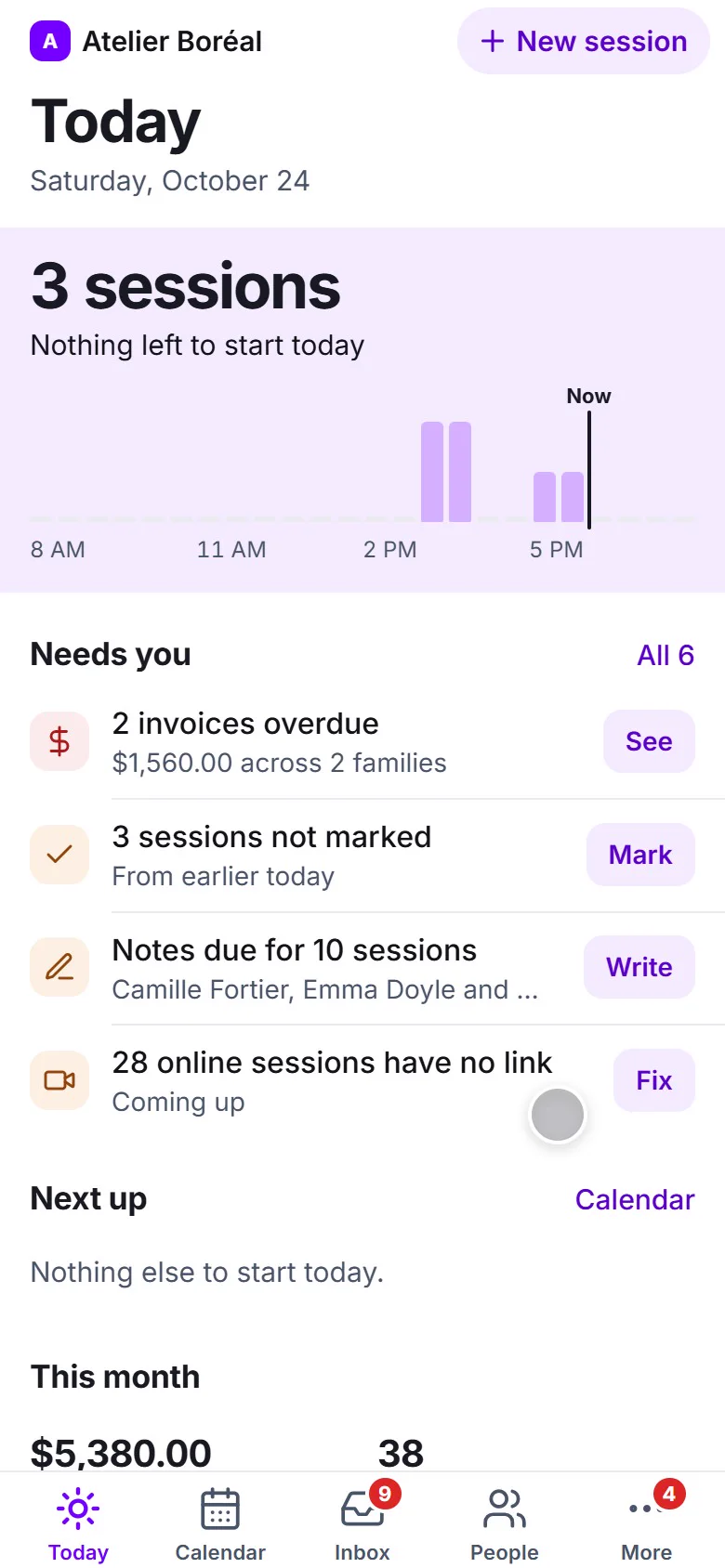
Tour the platform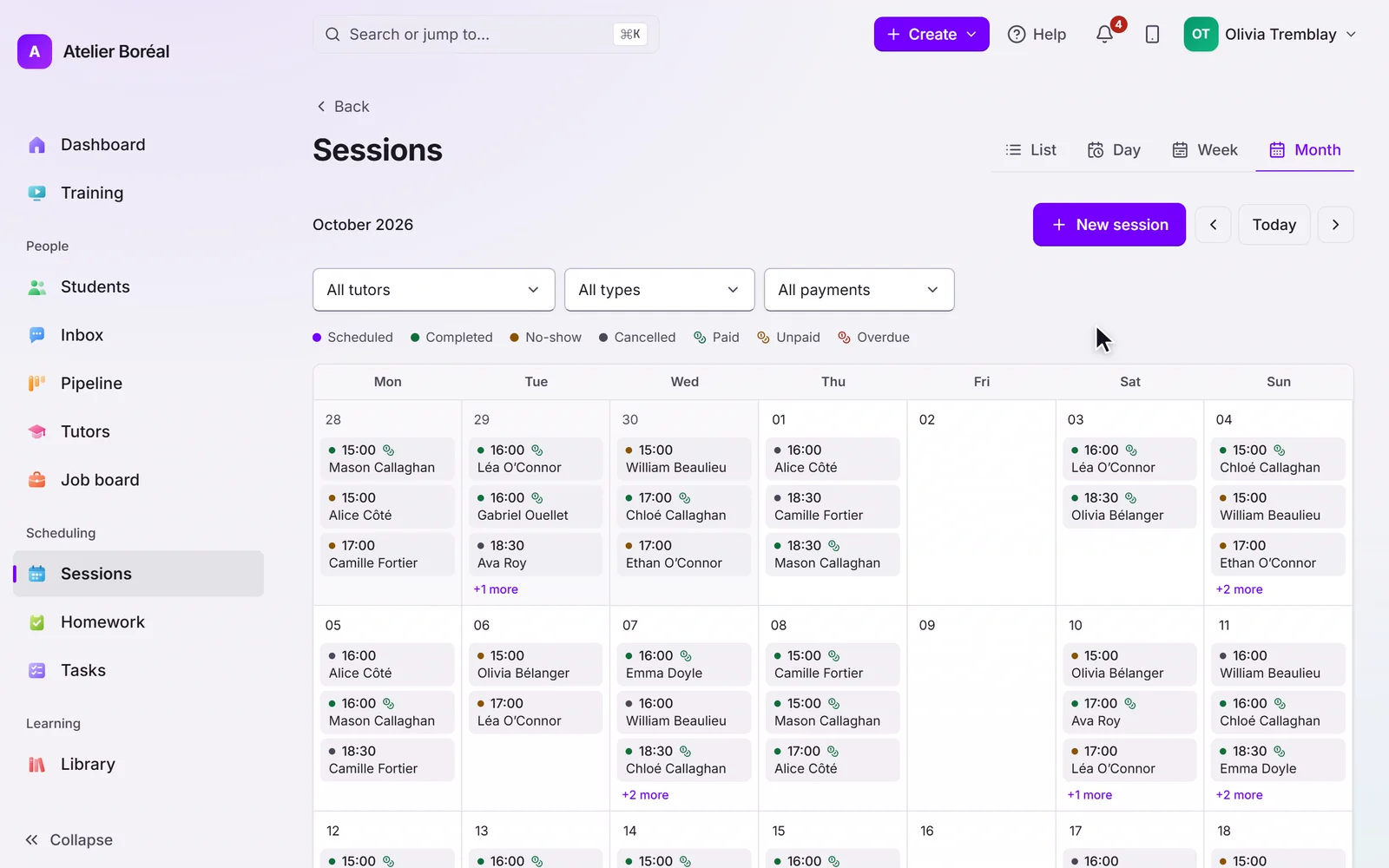
Good to know
Is Pillar OS an alternative to my current booking app?
Yes. Pillar OS replaces standalone booking apps, and unlike them, its scheduling shares one source of truth with billing, the parent portal, and reporting, so a booking automatically flows into invoicing and your CRM.
Do I have to replace everything at once?
No. Most businesses start with scheduling and billing, then bring families onto the portal and turn on AI reports and community. We guide the migration so you move at a comfortable pace.
Will I lose my data when I switch?
No. We bring your students, families and tutors over for you. Past lessons and invoices are not moved, so keep your old system’s export for your records.
How does the cost compare to a stack of tools?
Most owners were paying for a booking app, a payments tool, and various add-ons, plus the hidden cost of manual data entry between them. Consolidating into Pillar OS typically lowers total software spend and reclaims hours each week.
It keeps working when nobody is watching.
- The calendar refuses a clash
No session is booked twice: overlaps are stopped before they save.
- Every invoice is followed
Reminders go out before the due date, on it and after, and stop the moment it is paid.
- No student slips away unnoticed
Any student with no session in 4 weeks is named, with a check-in drafted for you.
See the all-in-one difference for yourself.
Free for 14 days, no card. We move your students, families and tutors across for you.
