
Free no-show cost calculator + cancellation policy template
Every no-show has a price. Find yours in 60 seconds.
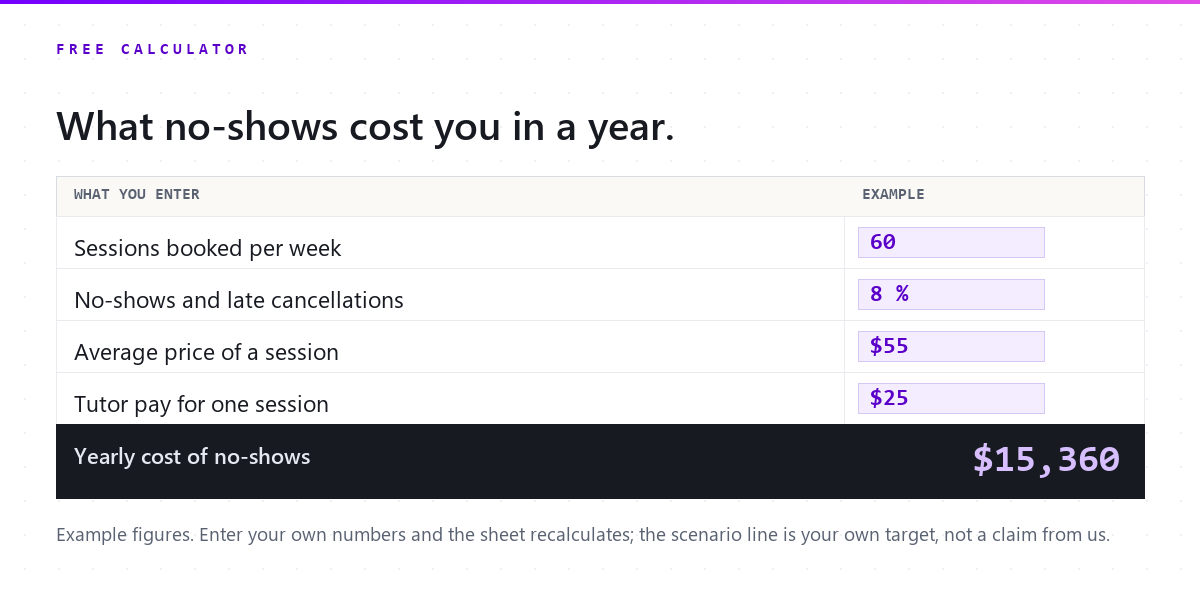
With the example numbers. Change any of them to see yours.
Every figure comes from what you typed. The lower-rate scenario is yours to set; we make no claim about what reminders achieve.
Free download
Get the free cancellation policy template (and the calculator)
The spreadsheet with the same formulas, your results, and a cancellation policy template you can paste into your portal or website. One email, then nothing you did not ask for.
What you get
- Download the calculator (.xlsx)
- Download the policy template (.pdf)
Your files are ready.
Both download now and a copy is on its way to your inbox. Below: what changes when the reminders send themselves.
What changes with Pillar
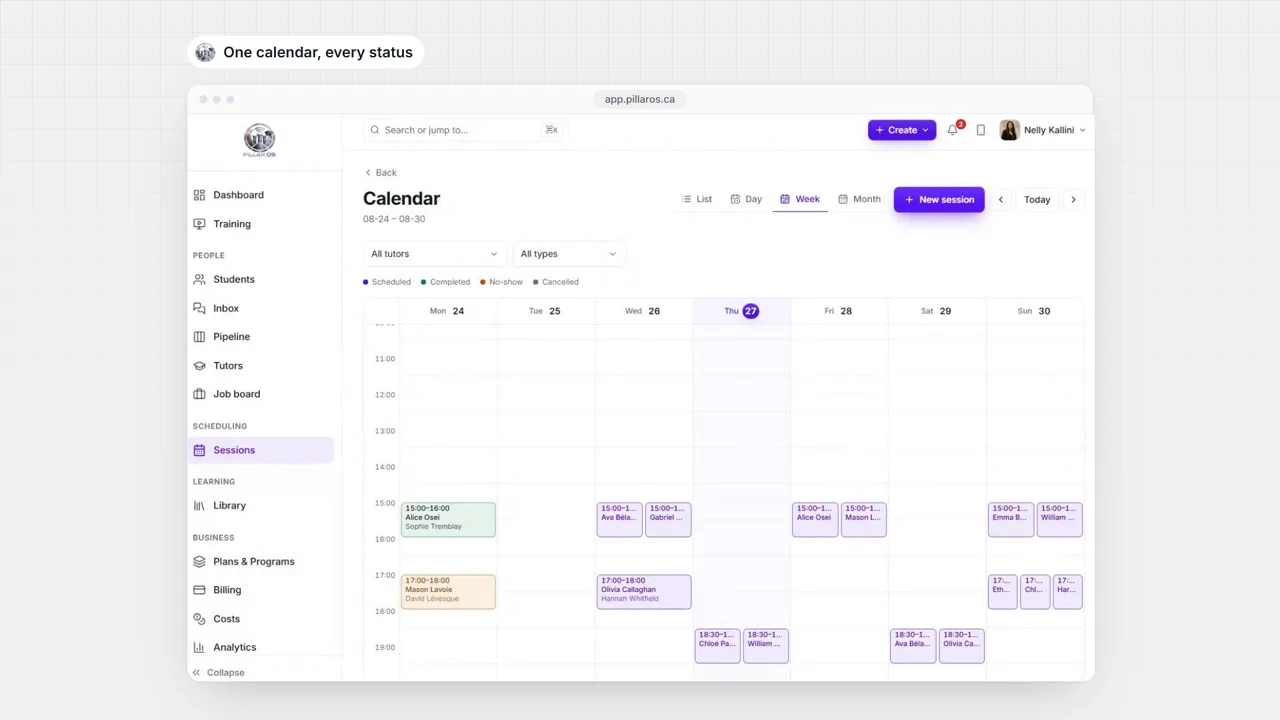
Sixty seconds of the real product, no slides.
-
Email and text reminders go out before every session without anyone at the desk sending them.
-
Each location sets its own cancellation cutoff. Outside it, a family moves or cancels a session in the portal; inside it, the portal asks them to contact you.
-
A missed session can consume the credit or be billed as a late cancellation when your policy says so, and the portal applies the rule the same way every time.


See it with your own students.
Fourteen days, no card, bilingual, your roster imported. Month to month after that, cancel whenever.
- No card
- English and French
- We import your roster
- Cancel anytime
Questions owners ask before they try it
Can Pillar charge a no-show fee or a late cancellation fee?
Your policy decides. Inside the notice window a cancellation can consume the session credit or be billed as a late cancellation; outside it, the family reschedules on their own. The rule is written once, per location, and applied the same way every time.
How much does Pillar OS cost?
A flat monthly fee set by your active student count: from $35 a month for up to 50 students, rising along a line to $599 at 1,000 students (CAD). No per-tutor fee, no per-lesson fee, no percentage of your revenue. SMS, storage and AI usage are billed separately at cost.
We run on Teachworks, TutorBird or a spreadsheet. How do we move?
Send us your export or your spreadsheets. We move students, families and tutors across and walk the result through with you before you go live. Past lessons and invoices stay in your old system’s export. You can also import a roster yourself from a CSV.
Does it work in French?
Yes. The whole product runs in English or French, for your team and for every family: the portal, invoices, reminders and reports. GST and QST are calculated on the invoice.
Do I need a card to try it?
No. A trial runs 14 days with no card. Start it below: your workspace opens in a minute, you bring your roster and see your own numbers, not sample data.
What about students’ data and Law 25?
Each centre’s data is isolated from every other centre’s, families see only their own students, and the consent a family gives for messages is recorded. Our privacy policy covers PIPEDA and Québec’s Law 25.
Keep reading on this

Why families ghost tutoring sessions (and how to stop it)
No-shows are not bad luck. They are a systems problem: a reminder that landed at a useless time, a reschedule that needed a phone call. Here is the fix.

Session packs vs subscriptions: pricing for retention
Drop-ins, packs, and subscriptions each do something different to cash flow and retention. A plain framework for choosing, and when to move a family up.

Why families drift away from tutoring, and what to say
Almost nobody quits tutoring. They pause, and the pause lasts. When the drift starts, what a departure costs, and the four-week check-in that brings them back.