
Free late payment calculator + payment reminder templates
Money you earned last month is still sitting in someone’s inbox. See how much.
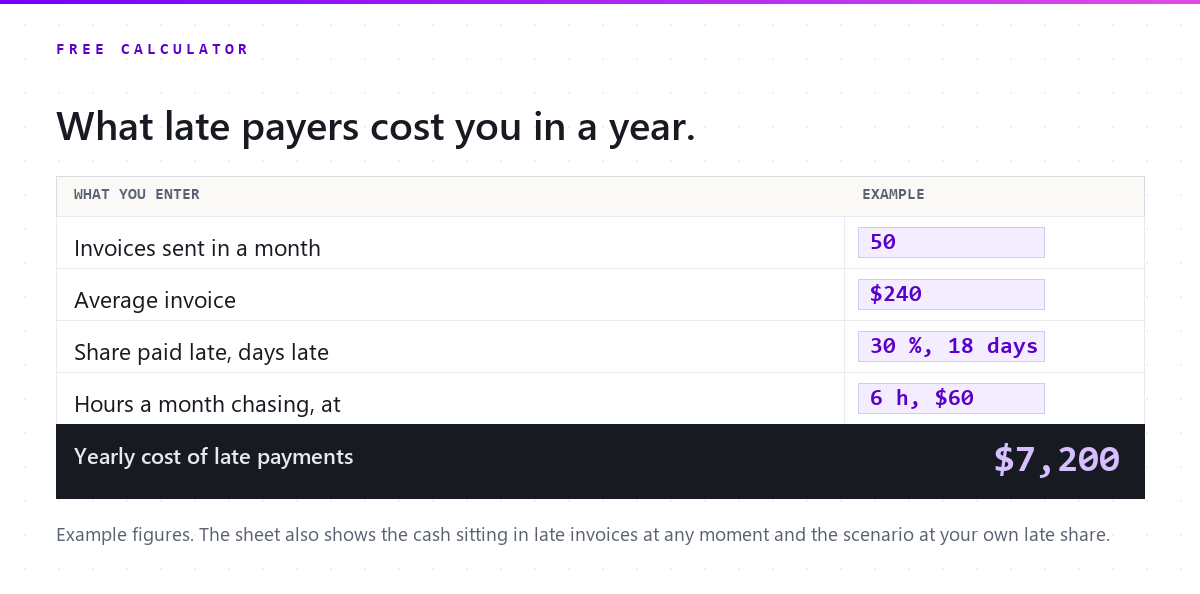
With the example numbers. Change any of them to see yours.
Every figure comes from what you typed. Cash tied up is a standing balance, not a yearly cost; the scenario scales your own chasing hours with the late share and claims nothing about what reminders achieve.
Free download
Get the five payment reminder templates (and the calculator)
The spreadsheet with the same formulas, your results, and a reminder sequence for a tutoring centre: three emails and two texts, from a friendly heads-up to a firm last notice. One email, then nothing you did not ask for.
What you get
- Download the calculator (.xlsx)
- Download the reminder templates (.pdf)
Your files are ready.
Both download now and a copy is on its way to your inbox. Below: what changes when the reminders send themselves.
What changes with Pillar
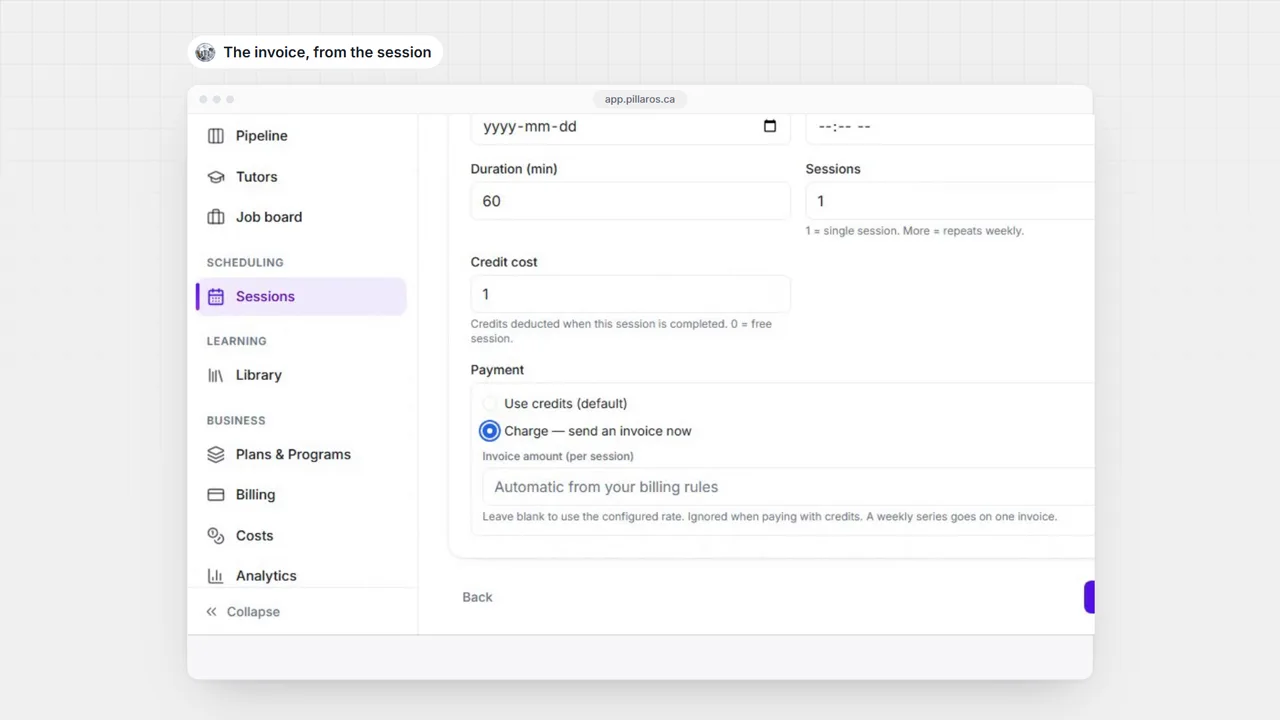
Sixty seconds of the real product, no slides.
-
Invoices are built from the sessions that happened, and a family’s card saves itself the first time they pay, so the next invoice is charged without asking again.
-
Payment reminders follow a ladder you set per location: before the due date, on it and after, each step sent once, and none once the invoice is paid.
-
A payment by e-transfer or cash is recorded against the invoice in a click, so the ladder stops for that family too, and one morning digest lists only what is still open.


See it with your own students.
Fourteen days, no card, bilingual, your roster imported. Month to month after that, cancel whenever.
- No card
- English and French
- We import your roster
- Cancel anytime
Questions owners ask before they try it
Does Pillar chase parents automatically?
It sends the reminder steps you switch on, on the days you set, and stops for an invoice the moment it is paid. It never writes off an invoice on its own: that stays a person’s decision. The owner gets one morning digest of what is still overdue rather than a message per invoice.
How much does Pillar OS cost?
A flat monthly fee set by your active student count: from $35 a month for up to 50 students, rising along a line to $599 at 1,000 students (CAD). No per-tutor fee, no per-lesson fee, no percentage of your revenue. SMS, storage and AI usage are billed separately at cost.
We run on Teachworks, TutorBird or a spreadsheet. How do we move?
Send us your export or your spreadsheets. We move students, families and tutors across and walk the result through with you before you go live. Past lessons and invoices stay in your old system’s export. You can also import a roster yourself from a CSV.
Does it work in French?
Yes. The whole product runs in English or French, for your team and for every family: the portal, invoices, reminders and reports. GST and QST are calculated on the invoice.
Do I need a card to try it?
No. A trial runs 14 days with no card. Start it below: your workspace opens in a minute, you bring your roster and see your own numbers, not sample data.
What about students’ data and Law 25?
Each centre’s data is isolated from every other centre’s, families see only their own students, and the consent a family gives for messages is recorded. Our privacy policy covers PIPEDA and Québec’s Law 25.
Keep reading on this

Tutor invoicing and billing for a tutoring business
Where tutoring centre billing leaks money, what a cancelled package owes back in Quebec, what invoices must show, and what an invoicing system must do.

Session packs vs subscriptions: pricing for retention
Drop-ins, packs, and subscriptions each do something different to cash flow and retention. A plain framework for choosing, and when to move a family up.